Download document () of 20
 Send email
Download
You have exceeded the download limit
Server rack components and configuration basics
Heavy-duty casters
Casters can be a useful addition to a server rack, as they provide mobility and ease of movement. Casters allow you to easily move the server rack around the room to rearrange equipment or access cabling at the rear of the rack. They're also useful for temporary installations, such as trade shows, concert performances or exhibitions allowing you to easily transport the server rack and set it up quickly.
Casters make it easy to move the server rack away from the wall for cabling changes or cleaning. This can be especially useful if the rack is situated in an environment where dust and debris can accumulate, such as in manufacturing or industrial settings.
When populating a rack with pre-installed casters, make sure it will roll through a standard 7-ft. (2.13 m) doorway if it needs to be moved to its final location.
A server rack grounding wire creates an electrical connection between the server rack and the grounding system in a data center or server room. The purpose of this connection is to establish a path for voltage surges or electrostatic discharge (ESD) to flow safely into the earth or ground, thereby preventing damage to sensitive electronic equipment housed in the server rack.
The grounding jumper typically connects the metallic parts of the server rack, such as the frame, doors and side panels, to a grounding point, which could be a grounding busbar or a grounding electrode.
The ANSI/TIA-942 standard for data center infrastructure includes a four-level rating for grounding.
Server rack baying tabs, also known as baying brackets or joining kits, are metal brackets or plates used to connect multiple server racks side-by-side.
Baying tabs are typically bolted or screwed onto the vertical frame of the server racks, securely connecting adjacent racks to form a stable row.
The center-to-center width of most baying tabs can be set at 600mm or 24" to match the width of standard data center floor tiles.
Square-hole mounting is a standard method used in many server racks. It involves mounting equipment using square holes punched into the vertical mounting rails of the server rack. Square-hole mounting offers greater flexibility in positioning equipment as it allows for vertical adjustment in increments of 1.75 inches (44.45 mm), which is the standard height of a rack unit (U).
12-24 threaded-hole mounting is an alternative method of attaching equipment to a server rack. It involves mounting equipment using threaded holes in the vertical mounting rails of the server rack. The holes are threaded with a 12-24 thread pattern, which means that they have 12 threads per inch and are compatible with 24-gauge screws. This method is less common than square-hole mounting but is sometimes used in specific types of server racks or with equipment that requires it.
The choice between square-hole and 12-24 threaded-hole mounting will depend on the equipment and the type of rack used. Many racks support both methods, allowing for greater flexibility in configuring the equipment.
Server rack accessories play a critical role in turning a rack into a functional, serviceable infrastructure platform. These accessories support airflow management, cable organization, equipment mounting, physical security, grounding and ongoing monitoring, all of which influence reliability and ease of maintenance. Selecting the right accessories ensures the rack can support current equipment needs while remaining adaptable as systems grow or change.
Cable management
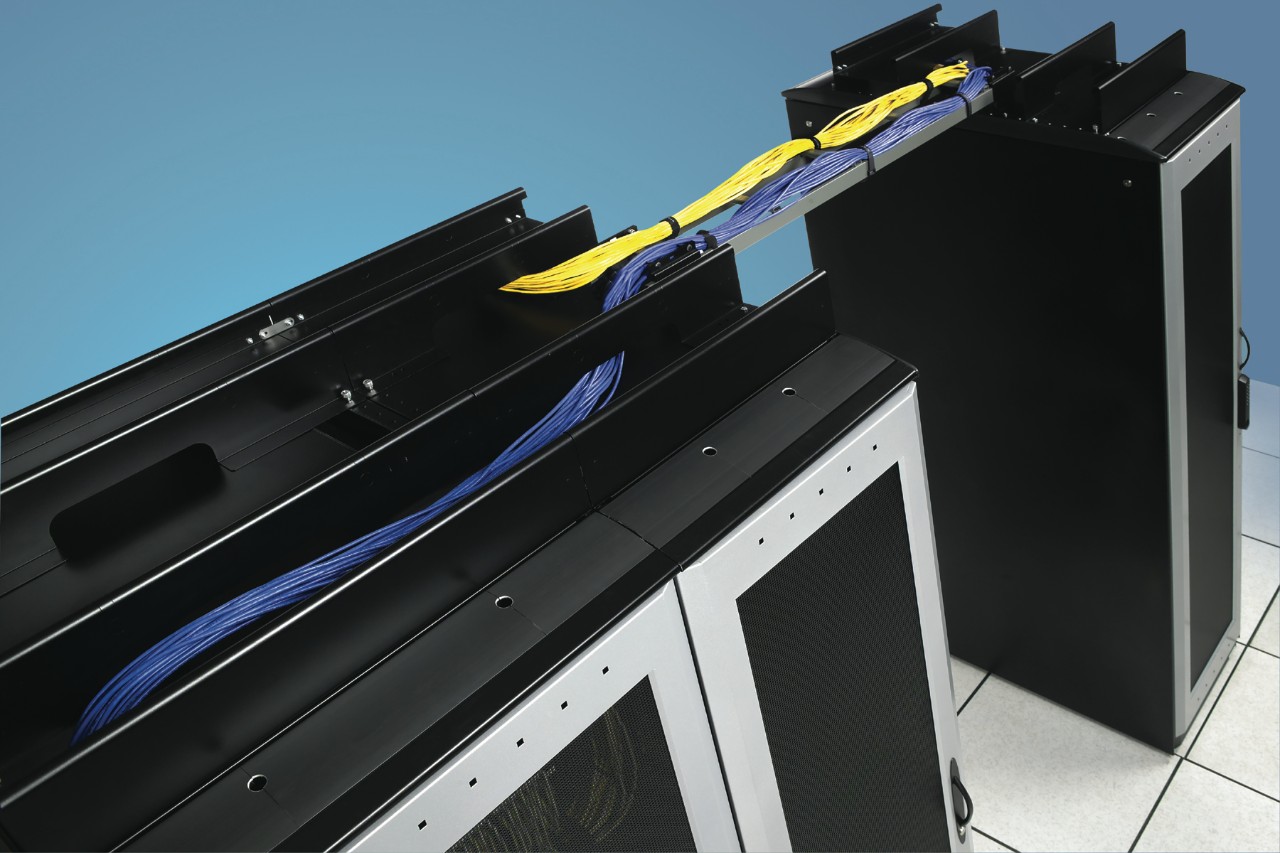
Cable management, such as cable managers and raceways, help to organize and route cables, which improves airflow and makes it easier to access and maintain equipment.
| Shelves and drawers | Security cages | Cooling fans |
Shelves and drawers are used to provide additional storage space within the server rack. They can be used to store equipment manuals, tools and other accessories. |
Security cages are typically made of heavy-duty steel mesh or perforated metal panels. They are designed to protect valuable and sensitive equipment stored in server racks from unauthorized access or theft. | Cooling fans are used to improve airflow and reduce heat buildup in the server rack. They are available in various sizes and can be mounted on the rack or on individual equipment.
|
Rail and mounting hardware
Rails and mounting hardware are used to secure equipment to the server rack. They are available in various sizes and configurations to accommodate different equipment types.

| Grounding bars | Gland plates | Sensors |
Grounding bars are typically made of copper or other conductive materials and are mounted on the back or side of the server rack. They are designed to be connected to the grounding system of the building or facility using a grounding wire or strap.
|
Gland plates are typically made of metal or plastic and are placed on the top, bottom, or sides of a server rack. They have pre-cut holes that are designed to accommodate cables of different sizes and are fitted with grommets to provide strain relief and prevent cable damage. | Sensors are installed in a server rack to monitor environmental factors, such as temperature, humidity and airflow and physical status, such as door open/closed.
|
Blanking panels
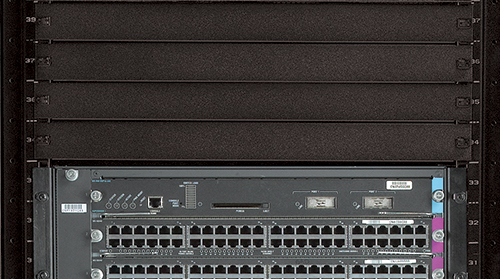
Blanking panels, also known as blanking plates, are physical barriers that are placed in open spaces within server racks to fill gaps between installed equipment. They are designed to improve airflow and increase cooling efficiency in data centers and server rooms.
| Colocation kits | Monitor and keyboard trays | Security accessories |
| Colocation kits divide a server rack into separate compartments so a single rack can be shared by multiple companies. Kits are often provided by data center operators as part of their service offerings. | Monitor and keyboard trays are used to provide a convenient location for a monitor and keyboard within the server rack. They can be mounted on the front or rear of the rack. | Security accessories, such as door locks, camera mounts and tamper-evident seals, are used to enhance the physical security of the server rack and protect equipment from theft or tampering. |
Effective cable management is essential for maintaining airflow, protecting connections and keeping server racks serviceable as density increases. Different cable management product types support how cables enter, move through and exit the rack, whether within the enclosure, above the rack, or across rows and aisles. Understanding these options helps teams select solutions that reduce cable stress, simplify maintenance and preserve long‑term reliability.
Vertical managers
Installs inside your rack enclosure to organize cabling and/or provide additional 0U mounting of PDUs and other devices and accessories with toolless mounting keyhole slots.

| Ladders | Troughs | Rail/Hardware kits |
| Eliminates cable stress by organizing cables across the top of your rack, neatly bundling it across an aisle or within a row of bayed racks. | Organizes and safely routes cabling across the top of a rack enclosure, creating a dedicated path that helps eliminate cable stress. | Hardware lets you mount cable ladders above your rack enclosures and extend them horizontally or vertically to maximize space. |
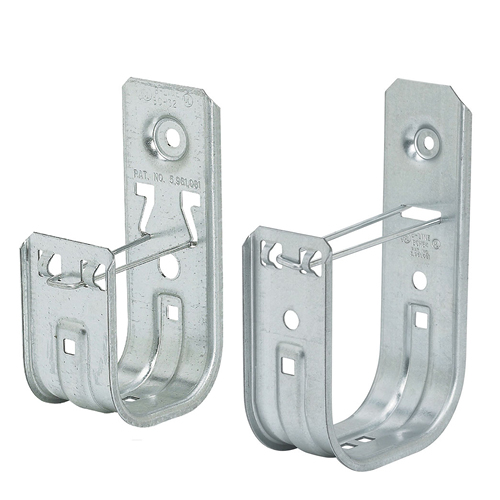
J-Hooks
Recommended for setting up network or digital signage installations that require cabling to run along walls and ceilings, above drop ceilings or through inner duct systems for long distances.
| Raceways | Cable ties | Horizontal managers |
Securely conceals your network or other cabling, protects it from damage and keeps it neat and organized outside of walls.
|
Must-have accessory for keeping bundles of cables manageable.
|
Prevents messy cable clutter by supporting and organizing cabling, while routing it from either side of the rack to interior connections. |
Cable trays
Cuts down on cable clutter and stressed connections by safely supporting and segregating the equipment cabling from either side of the rack to interior connections.

Server rack features and accessories work together to shape how a rack performs in real‑world environments. Features such as casters, grounding jumpers, baying hardware and mounting rail types influence stability, safety and long‑term flexibility, while cable management, airflow components and security elements determine how efficiently equipment can be deployed and maintained. When these considerations are evaluated as part of a unified design approach, racks become easier to service, safer to operate and better aligned with future growth. Thoughtful selection at this stage helps ensure the rack supports reliability, compliance and operational efficiency over its full lifecycle.

 MyEatonFAQs


